✔ Activation Process: Online
✔ License Type: Retail – Valid for 1 PC/Laptop Only
✔ Usage Region: Worldwide (Global Activation Supported)
✔ Delivery Mode: Digital Key (Instant Delivery)
✔ Setup File: Official Microsoft Windows 11 Pro Download Link Included
Experience the power, speed, and security of Microsoft’s latest-generation operating system with the Windows 11 Pro Genuine Product Key. This 25-character alphanumeric activation key unlocks the full version of Windows 11 Pro on your PC or laptop and provides lifetime validity on a single device.
Windows 11 Pro offers a modern design, improved performance, advanced security features, and professional-grade tools—perfect for personal users, businesses, and professionals.
Genuine Windows 11 Pro Retail Product Key
Lifetime activation for 1 PC/Laptop
Works Worldwide (Global License)
Online Activation Supported
Supports All Languages
Official Microsoft Download Link Included
Windows 11 Pro (launched in October 2021) brings a fresh design and powerful features.
The product key allows you to activate and use all premium features, connect your Microsoft Account, and enjoy a fully licensed OS.
Once activated, you receive:
Regular security updates
Driver updates
Feature and stability updates
Professional tools and enhanced performance
These updates help protect your data, improve performance, and ensure long-term stability.
✔ Activates Windows 11 Pro on one PC or laptop.
✔ Works on fresh installation or existing Windows 11 setup.
✔ Supports all languages and works worldwide.
✔ Compatible with both 32-bit and 64-bit systems.
✔ As this is a Windows 11 Pro OEM/Retail Key, activation is lifetime for one device.
✔ You will receive all official Microsoft security and feature updates online.
Windows 11 Pro introduces a clean and modern design with:
Rounded corners
Soft colors
A new centered Start menu
Centered Taskbar icons
This gives the OS a fresh, premium, and simplified look.
Windows 11 includes support for Android apps through the Amazon Appstore, accessible directly from the Microsoft Store.
This enables users to run mobile apps natively on their PC.
(Note: Android apps may not be available in some regions at initial setup.)
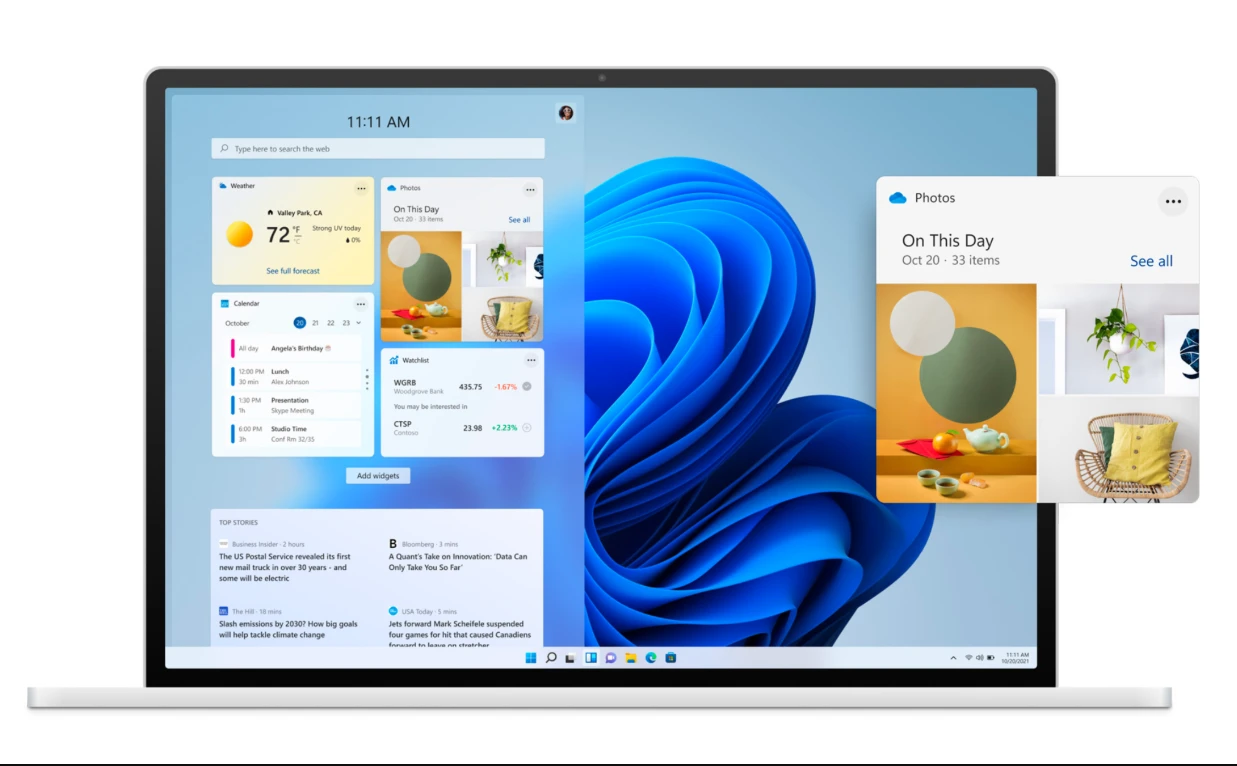
Widgets have returned with a modern interface.
You can view:
Weather
Calendar
News
Tasks
Trending updates
They slide out from the left side and can be customized for a personalized experience.
Teams is built directly into the Taskbar for:
Quick video calls
Chat
Meetings
Cross-platform communication across Windows, macOS, Android, and iOS
This makes collaboration easier and faster.
Windows 11 Pro brings Xbox-grade gaming features, including:
Auto HDR
DirectStorage (faster game loading)
Improved graphics support
Enhanced game performance
Perfect for gaming enthusiasts and professionals.
Create separate virtual desktops for:
Work
Personal use
Gaming
School
Projects
You can also set different wallpapers for each desktop — similar to macOS.
Windows 11 adds powerful multitasking tools:
Snap Layouts allow you to organize open windows instantly.
Snap Groups let you switch between app groups effortlessly.
Improved monitor docking ensures your window layout is preserved when reconnecting an external display.
These features make multitasking smoother and more efficient.

No review given yet!
 Fast Delivery
 Safe Payment
 7 Days Return Policy
 100% Authentic Products


You need to Sign in to view this feature

This address will be removed from this list
 english